TV MCP Server
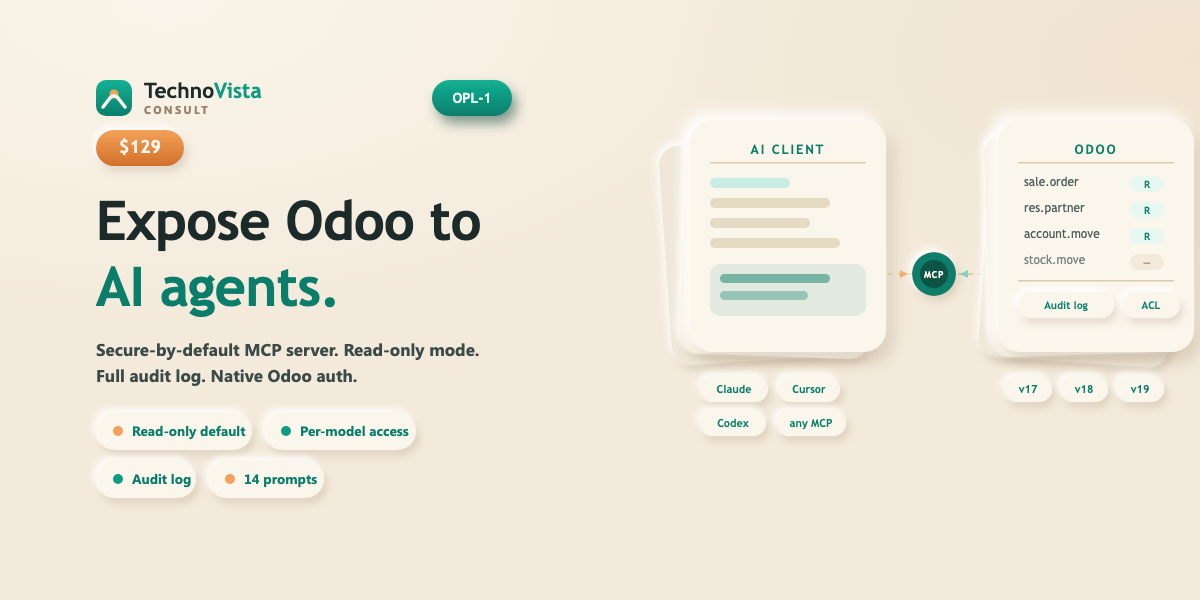
Connect Claude, Cursor, and other AI tools to your Odoo.
TV MCP Server turns your Odoo instance into a Model Context Protocol (MCP) server. Any MCP-compatible AI client can read and act on your Odoo data in natural language, bounded by Odoo's own user permissions and record rules. Secure by default — nothing is accessible at install time, all write operations are off, and every call is logged.
- Read-only by default — write access disabled globally at install
- Per-model allow-list: no models exposed until you explicitly add them
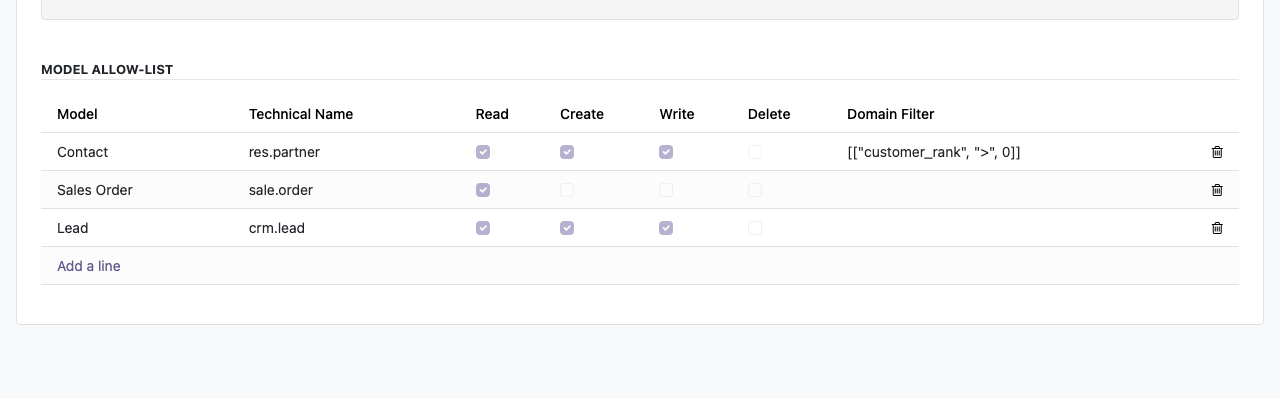
- Independent Read/Create/Write/Delete flags per model, plus optional domain filter
- Full audit log of every MCP call with user, model, latency, and outcome
- 14 built-in business prompt templates (aged receivables, dunning email, sales pipeline, and more)
- Compatible with Claude Desktop, Claude Code, Cursor, and any MCP-compliant client
- Native Odoo API-key authentication — no extra credential stores
- Runs on Odoo.sh and self-hosted; single codebase for Odoo 17, 18, and 19
Compatible with Odoo 17, 18, and 19 Community and Enterprise.
By purchasing you agree to our License & Refund terms.
What it does.
Read-only by default
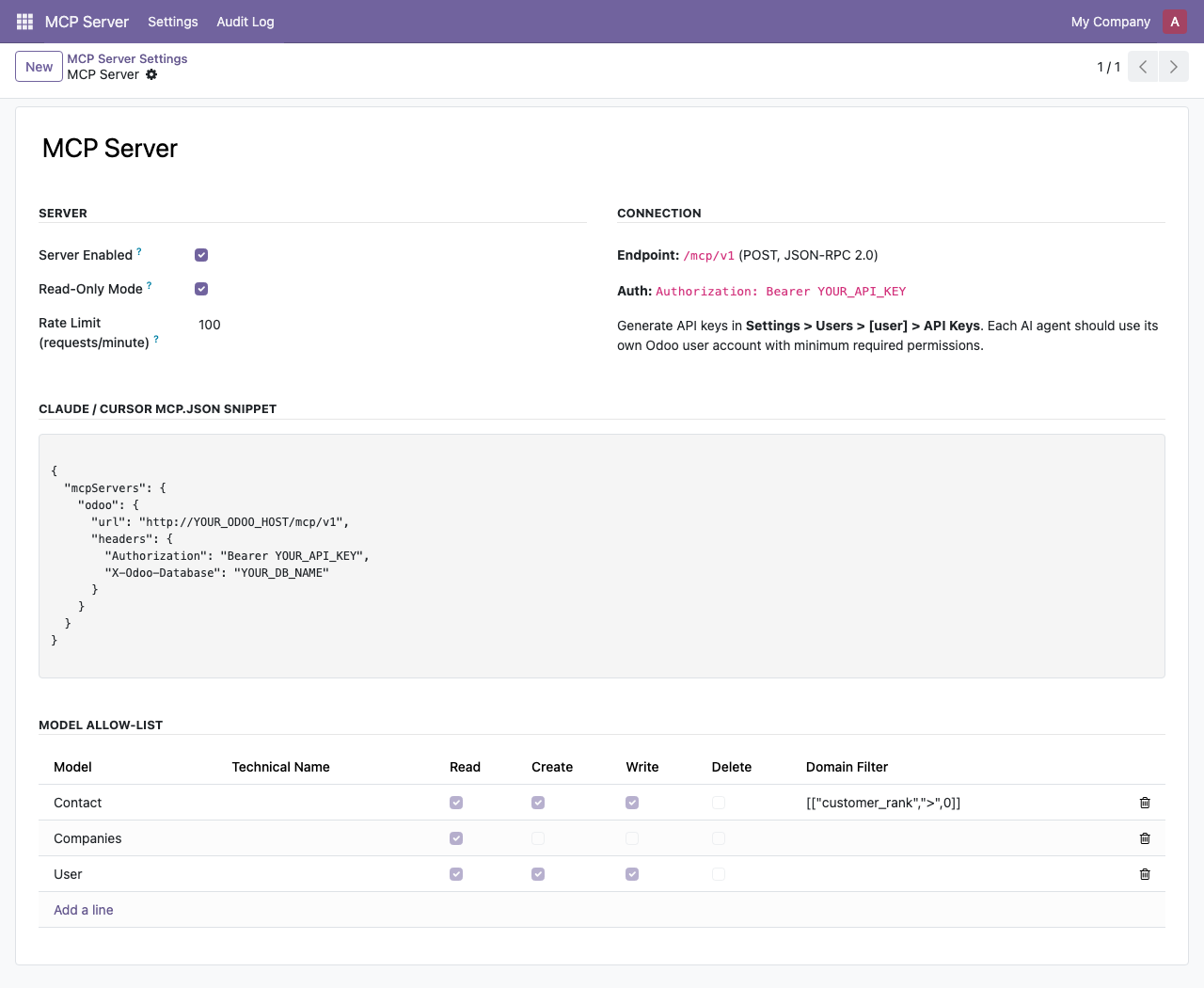
A single toggle in the MCP Server config locks all write tools globally. When disabled, create, write, and delete tools are hidden from clients entirely — they do not appear in the tools list at all. Finance teams can grant AI read access without any risk of accidental modification.
Per-model access control
No models are MCP-accessible at install time. Admins explicitly add each model to the allow-list with independent Read, Create, Write, and Delete flags. An optional domain filter per model lets you restrict which records an AI agent can reach.
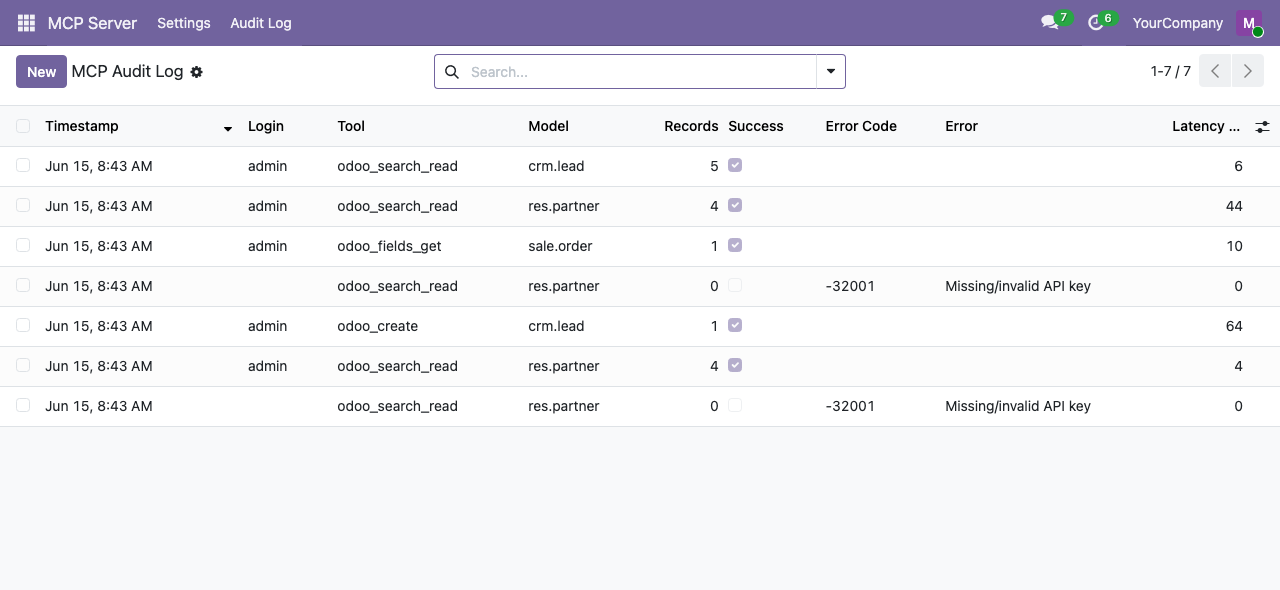
Full audit log
Every MCP call — whether it succeeds or fails — is logged with timestamp, user, tool name, model accessed, record count, latency, and outcome. Searchable from the Odoo UI, with a configurable retention policy (default 90 days).
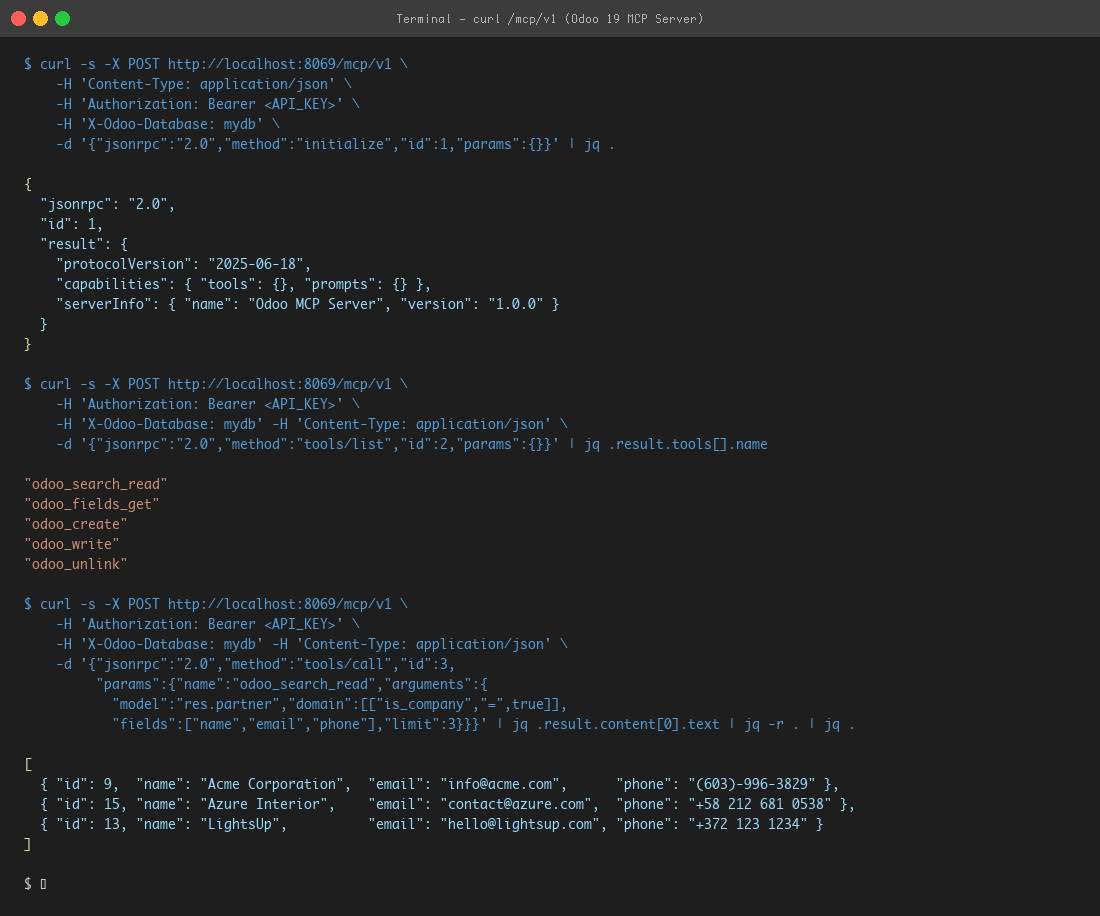
Connect any MCP client in minutes
Point any MCP-compatible client at your Odoo URL with a standard Odoo API key. The module includes ready-to-use connection snippets for Claude Desktop, Claude Code, and Cursor. No external processes, no XML-RPC bridges.
We build Odoo modules to spec.
If this module is close but not quite right, we scope and build custom Odoo modules — fixed price, same quality bar.
Book a free scoping call